
Character sheets
Each room uses the sheets of the plugins its game master installed: a D&D sheet, one for a homebrew system, the RPG Desk Basic Sheet… What you write on the sheet is kept in the room and shows up right away for whoever has it open.
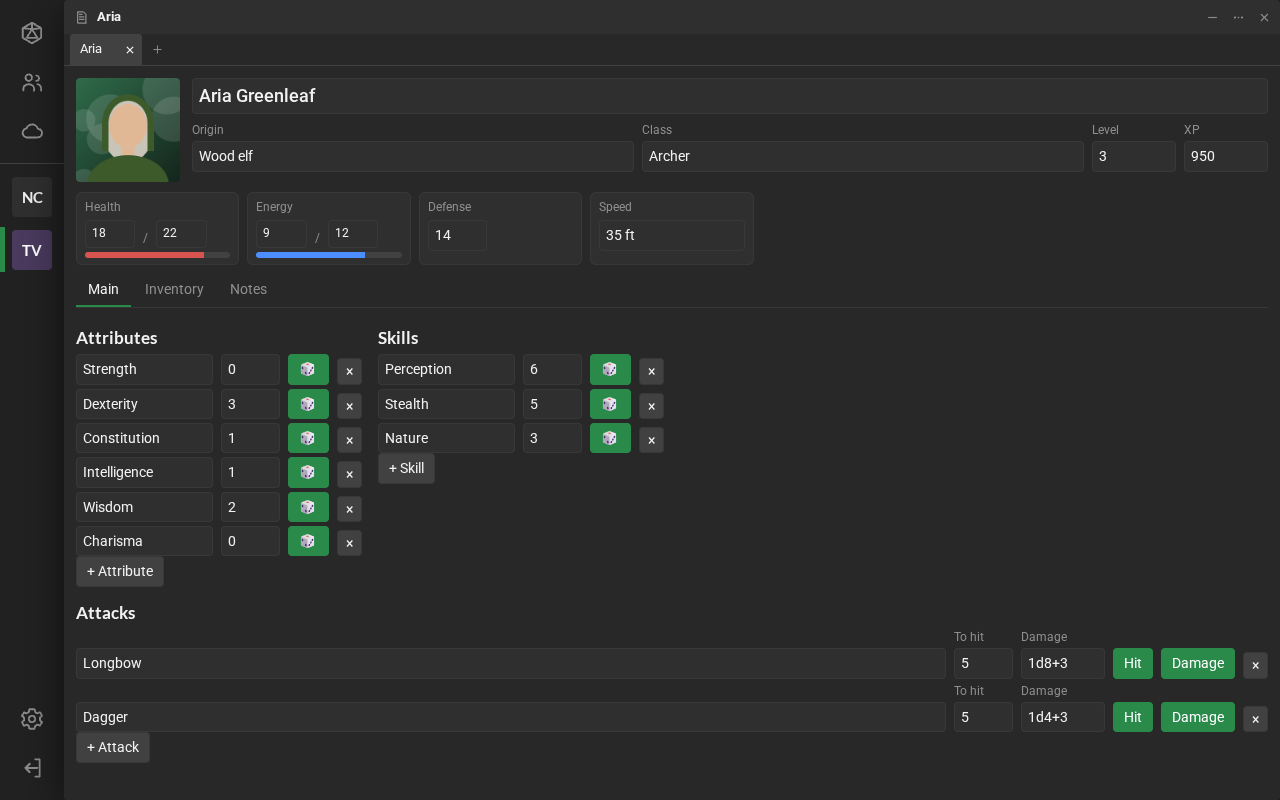
Create your sheet
Section titled “Create your sheet”- In the library, click New item → New sheet….
- Give it a name (for example, the character’s). Without a name, it is called “New character”.
- Click the system, in the list. Each system is a sheet from one of the room’s plugins.
The sheet shows up in the library and is yours: only you and the game masters change what is on it. Often the game master creates the sheets, already with the right owner: see Players’ sheets.
Fill in and roll
Section titled “Fill in and roll”- Double-click the sheet, in the library, to open it in a tab.
- Fields save as you type. Whoever has the same sheet open sees the change right away.
- The sheet’s roll buttons roll in the chat, for everyone, with the 3D dice.
- If the sheet is not yours, you can only read it: the fields are locked.
- Some sheets have parts only the game master sees. Those parts never reach your browser.
The main character
Section titled “The main character”Your main character is the sheet that represents you in the room. Its name shows up on your card, in Participants, and the sheet can fill in your card’s bars (health and energy, for example).
- To choose it: right-click the sheet, in the library → Use as my main character.
- The sheet the game master creates or hands to you becomes your main one, if you do not have one yet.
When the sheet does not open
Section titled “When the sheet does not open”- “The page did not answer. Does it load rpgdesk.js?”: the sheet has a defect. Reload tries again; if it keeps happening, tell the game master.
- “No plugin in this room edits sheets of type…”: the sheet’s plugin was removed from the room. The data is still kept and comes back when the game master installs the plugin again.
- A badge with a number, in the sheet’s corner, shows the Page errors. They are for whoever made the sheet: Copy errors and send them to the game master. See Test and develop.